Word: does the page still look authored
Merged header cells, explicit column widths, repeating table headers, tracked changes. These are the elements that silently reflow when a file changes hands.
Word findingsIndependent office suite testing
We generate the documents ourselves, open them in a clean installation, and publish what appears on screen — including the parts that went wrong. Where we have not tested something, the page says so instead of filling the gap.
Three files, built by script so every cell and formula is known in advance, opened in WPS Office 12.1.2 Free on Ubuntu.
| Test file | What it contains | Result | Detail |
|---|---|---|---|
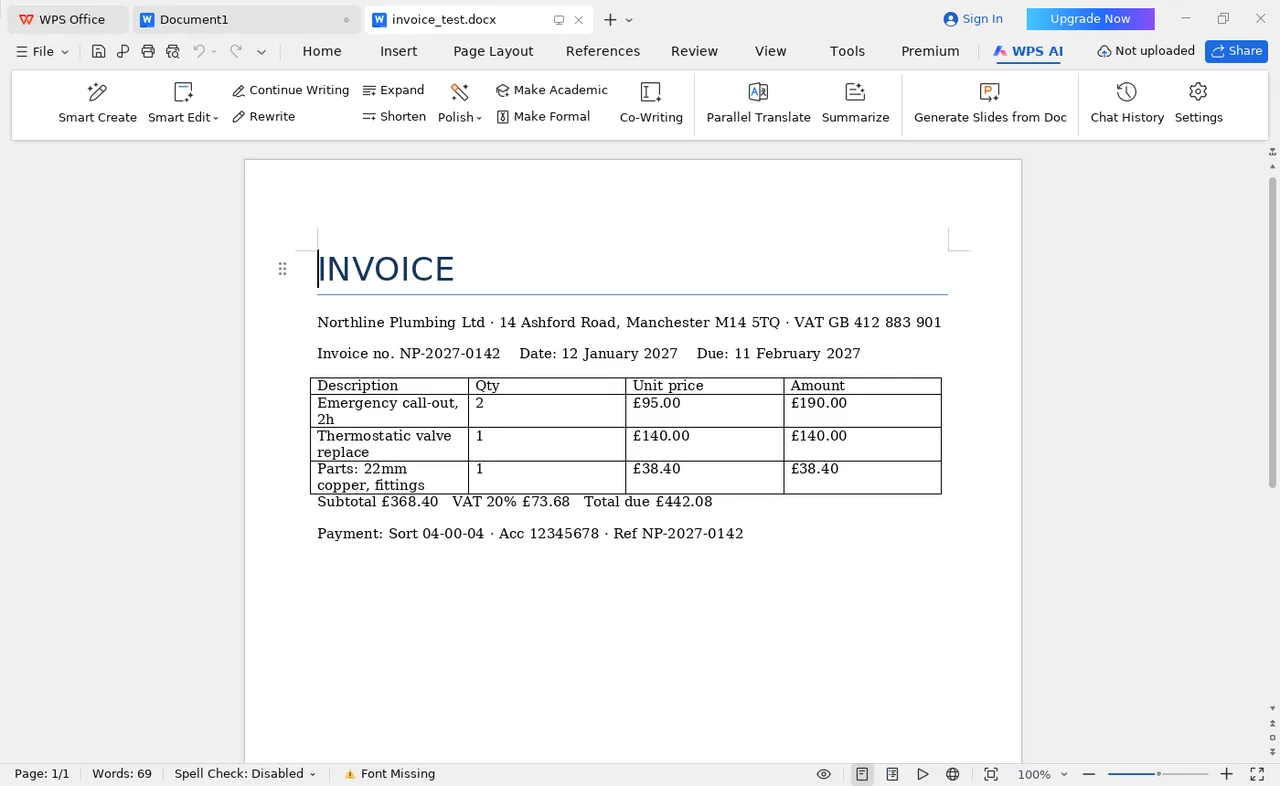
invoice-contractor.docx | 4-column line-item table, merged header cells, VAT row, right-aligned totals | Layout unchanged | Borders, column widths and the totals row rendered as authored. Status bar flagged a missing Calibri, so a substitute face was used — layout held anyway. |
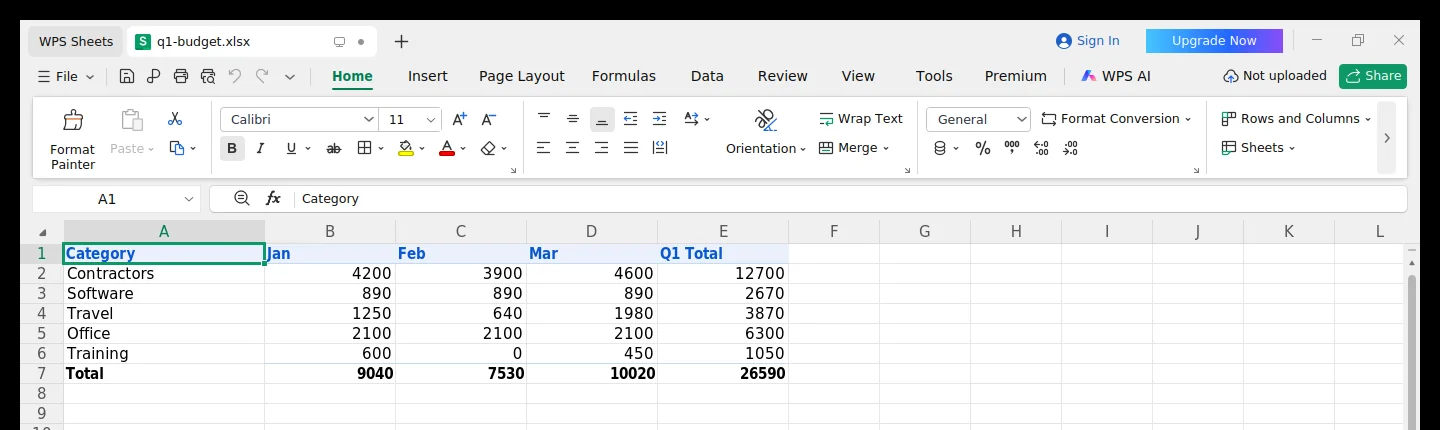
q1-budget.xlsx | 9 SUM formulas across 5 categories × 3 months, plus a grand total | 9 of 9 matched | Row totals 12,700 / 2,670 / 3,870 / 6,300 / 1,050; column totals 9,040 / 7,530 / 10,020; grand total 26,590. |
deck.pptx | Title layout, bullet body, table slide | Opened and rendered | Text placeholders and the table slide displayed without error. Not part of the formula or layout comparison. |
Power Query / Power Pivot | Data import pipelines and in-memory models | No equivalent | This is a missing feature, not a rendering difference. If your reporting depends on it, migration is a rebuild. |
What this run does not prove: anything about the paid tier (we hold no licence), macOS or mobile behaviour, or a workbook larger than five categories. Those gaps are listed on the method page rather than guessed at.
Document incompatibility is not a dramatic failure. It is a table border that disappears, a page break that moves one paragraph down, or a postcode that loses its leading zero. So we test those, deliberately.
Merged header cells, explicit column widths, repeating table headers, tracked changes. These are the elements that silently reflow when a file changes hands.
Word findingsThe same formula on the same input, both applications, compared cell by cell. Averages hide arithmetic drift; individual values do not.
Spreadsheet findingsForm fields, embedded fonts, signature blocks — whether a file still looks like the original once it leaves the application that produced it.
Conversion notesFor everyday Word, Excel and PDF work it gets very close at a fraction of the price. It is not a like-for-like swap: Power Query, Power Pivot and VBA that reaches outside the application have no working equivalent, and that is a workflow change rather than a setting. The review separates what we verified from what we could not.
Opens official WPS site · 0 JS tracking